A modern ZX Spectrum development environment for macOS
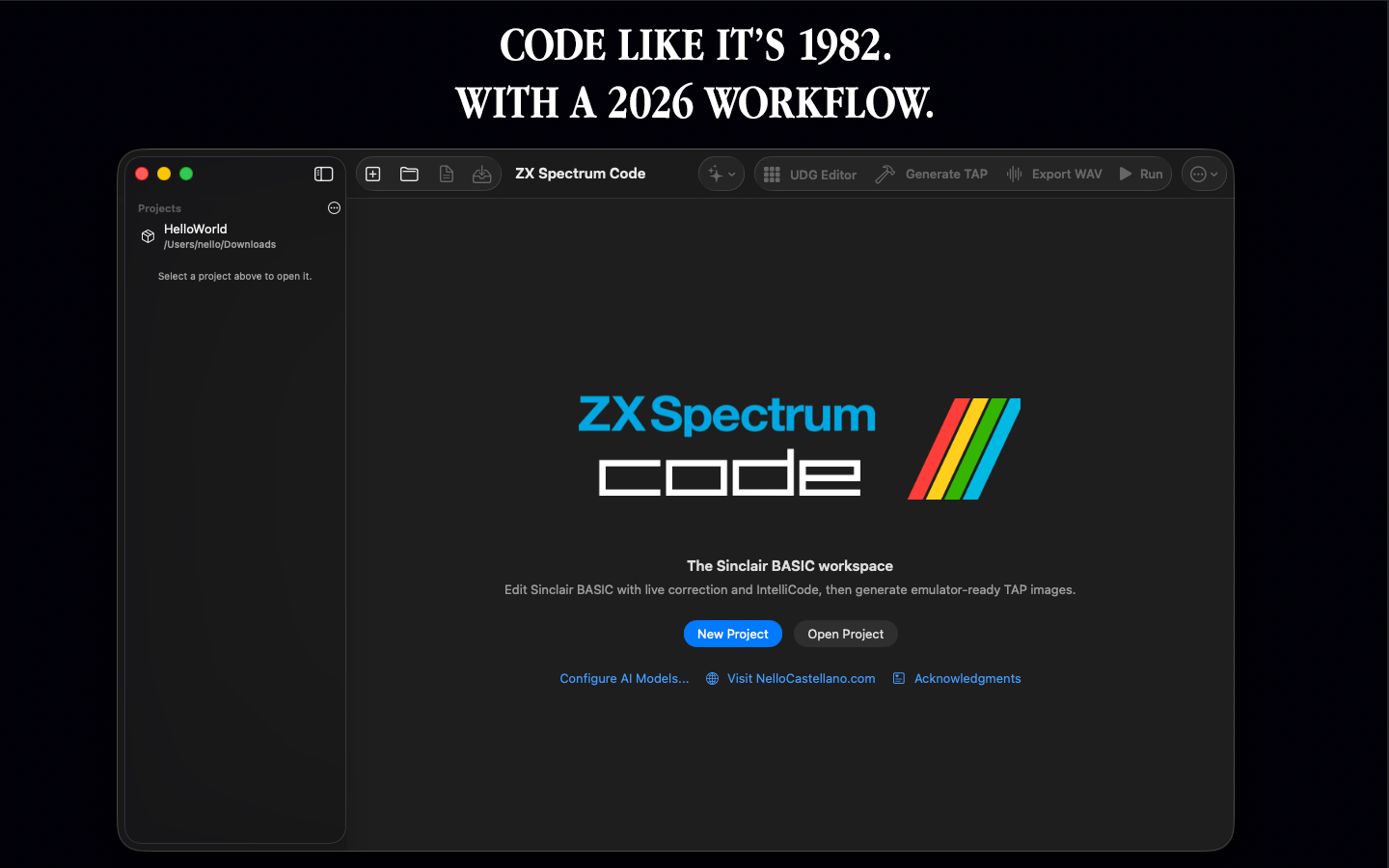
Code like it’s 1982.
With a 2026 workflow.
Write Sinclair BASIC, build Z80 machine-code routines, create TAP images and SCREEN$ graphics, and test everything in the built-in ZX Spectrum emulator — without leaving the IDE.
Native macOS app · Sinclair BASIC · Z80 · TAP · SCREEN$ · Embedded emulator
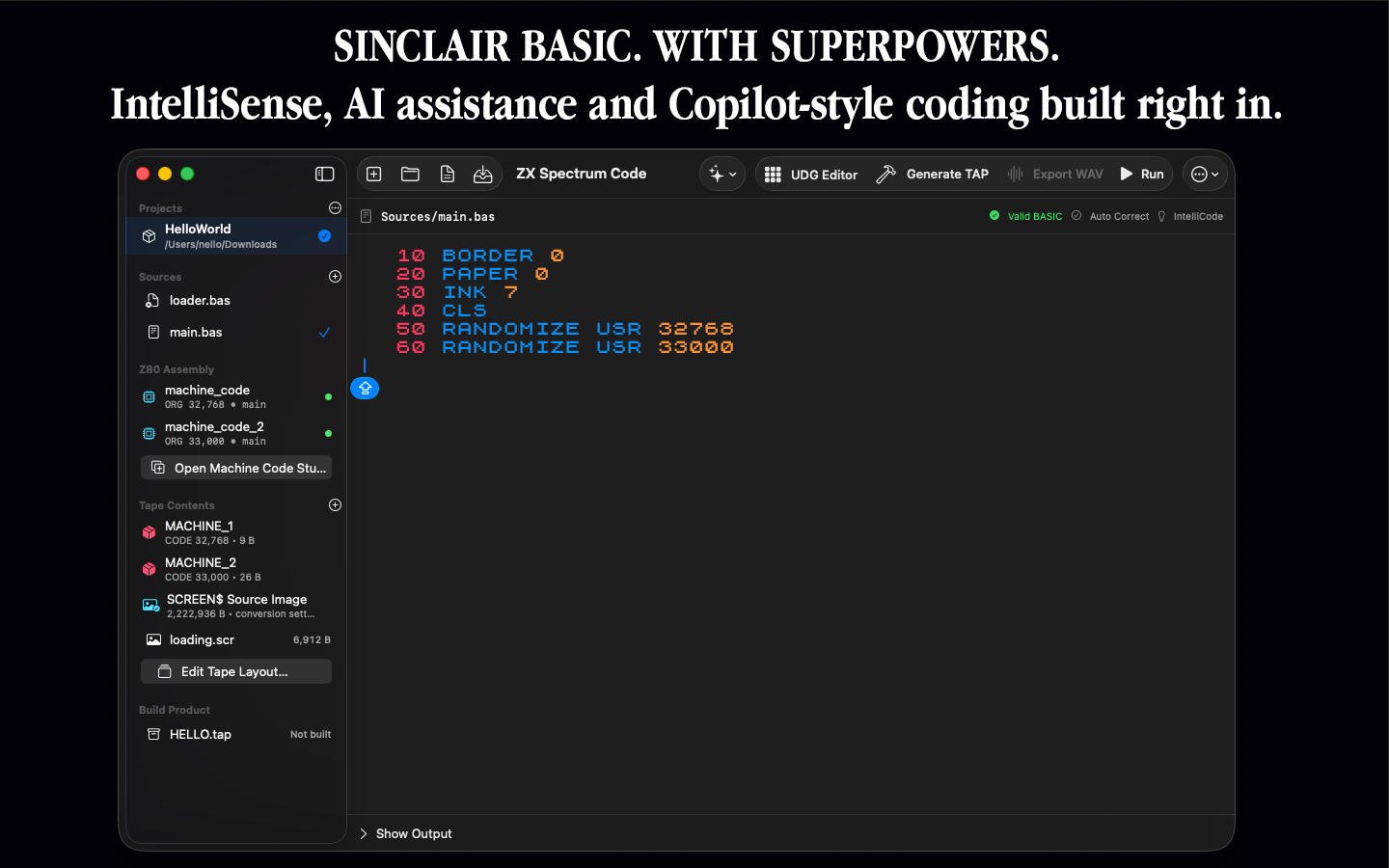
Sinclair BASIC, with superpowers
A real IDE for Spectrum development.
Not a generic text editor with a retro theme. ZX Spectrum Code and Compiler understands the workflow of Spectrum projects and brings the pieces together in one native Mac application.
Smart BASIC editor
Syntax-aware editing, IntelliSense-style suggestions, validation and project-aware code navigation for Sinclair BASIC.
AI coding assistance
Generate, explain and improve BASIC or Z80 code without constantly moving source between your project and external tools.
Embedded emulator
Build and run your program directly inside the IDE, then return to the source and keep working.
TAP authoring
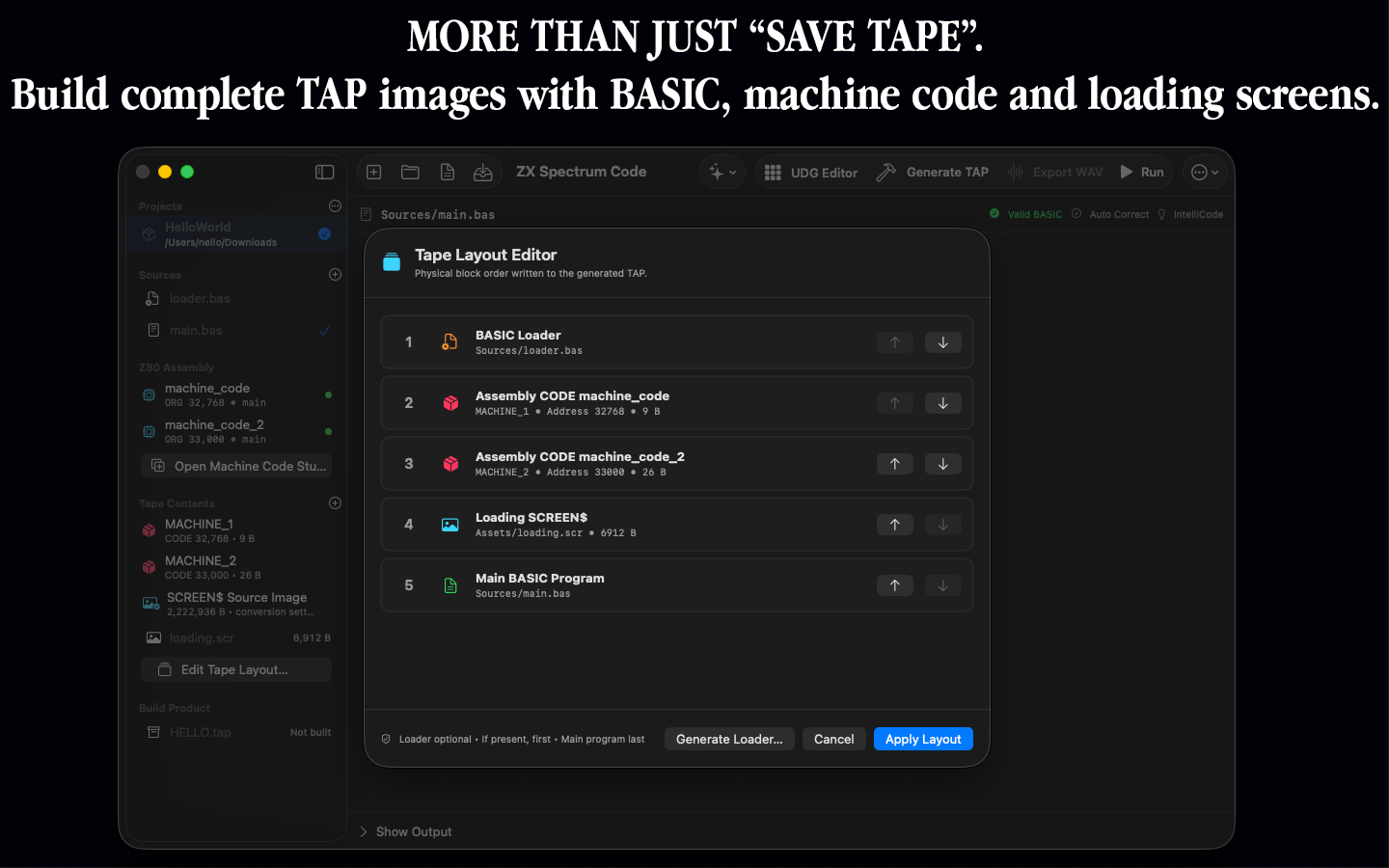
Arrange loaders, programs, CODE blocks and SCREEN$ files in the exact order required by your tape image.
UDG designer
Draw User Defined Graphics visually, inspect the byte values and generate the corresponding BASIC automatically.
SCREEN$ Studio
Convert PNG and JPEG artwork into authentic 256×192 ZX Spectrum SCREEN$ graphics.
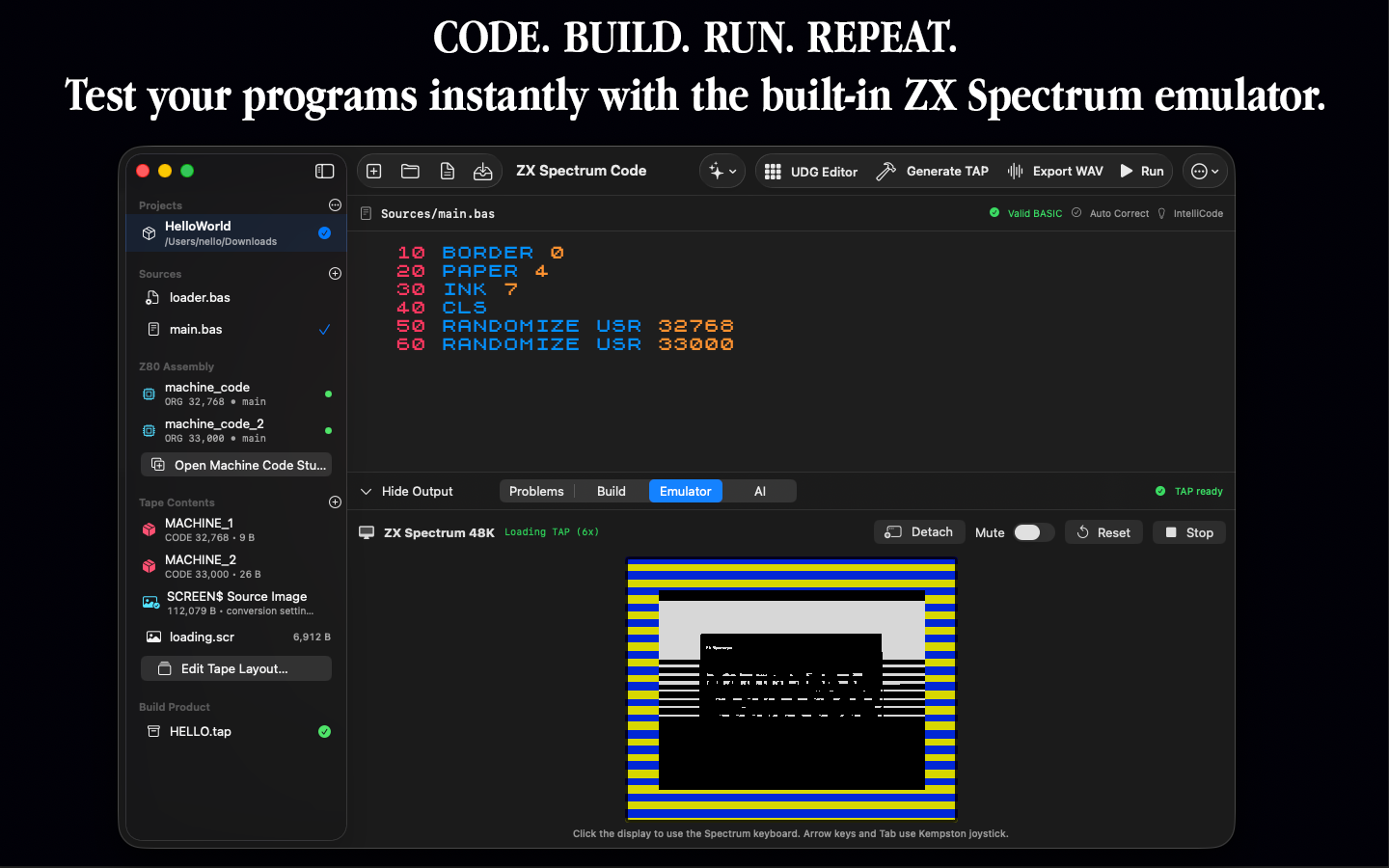
Write. Build. Run. Repeat.
Your Spectrum is built right in.
Test programs immediately using the embedded ZX Spectrum emulator. The development loop stays inside one application: edit the source, build the project, run it, test the result and continue coding.
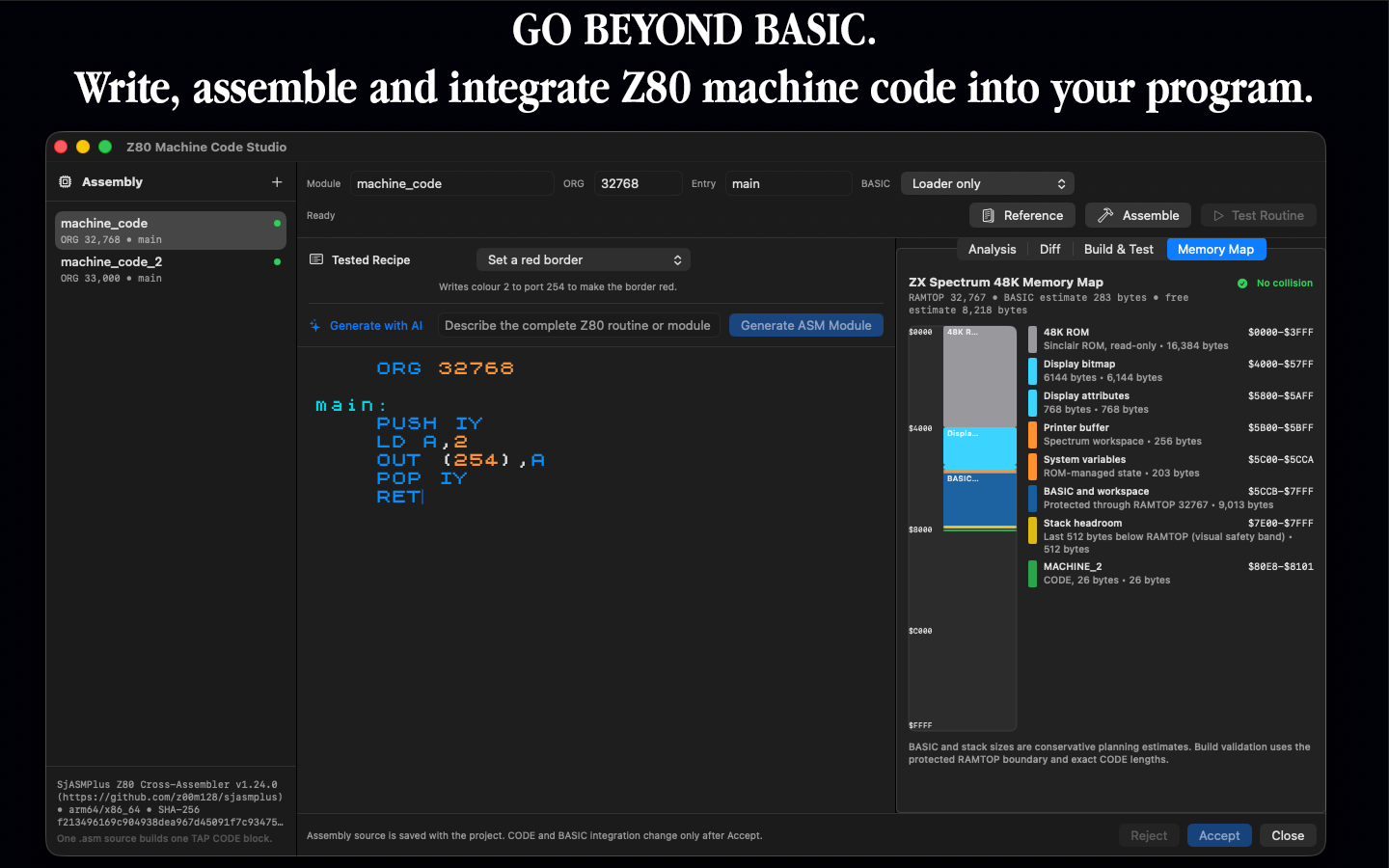
Go beyond BASIC
Unlock the Z80.
The integrated Machine Code Studio lets you write and assemble Z80 routines alongside your BASIC project. Define ORG addresses and entry points, manage multiple modules, and understand where your code lives in Spectrum memory.
- Integrated Z80 assembler
- Multiple machine-code modules
- Configurable ORG and entry points
- 48K memory map and collision awareness
- AI-assisted routine generation
- Direct integration with BASIC and TAP builds
Graphics tools included
From modern images to Spectrum pixels.
Create the visual assets your project needs without leaving the development environment.
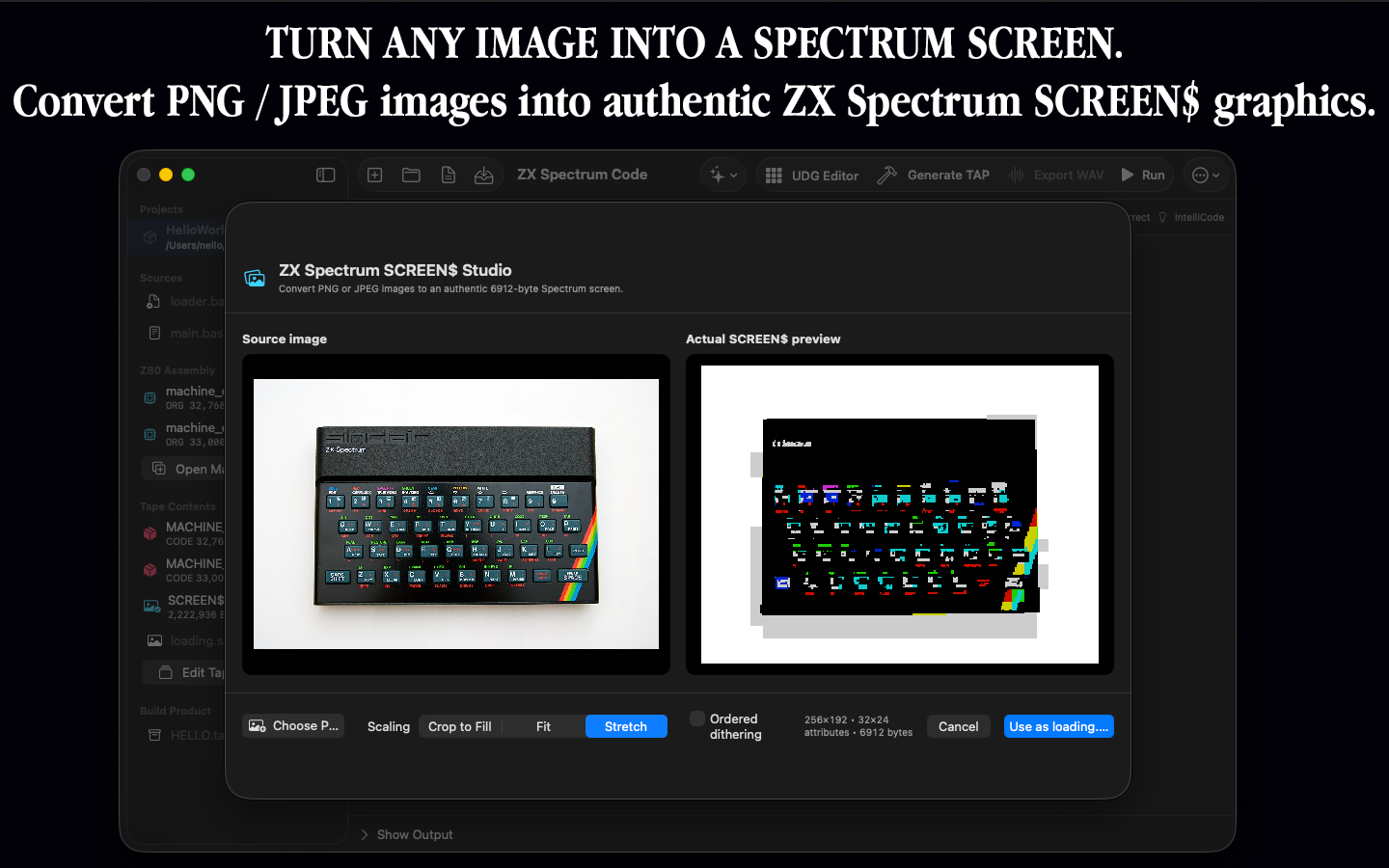
Turn images into SCREEN$
Import PNG or JPEG artwork, preview the Spectrum conversion and produce an authentic 6912-byte 256×192 screen for your project or loading sequence.
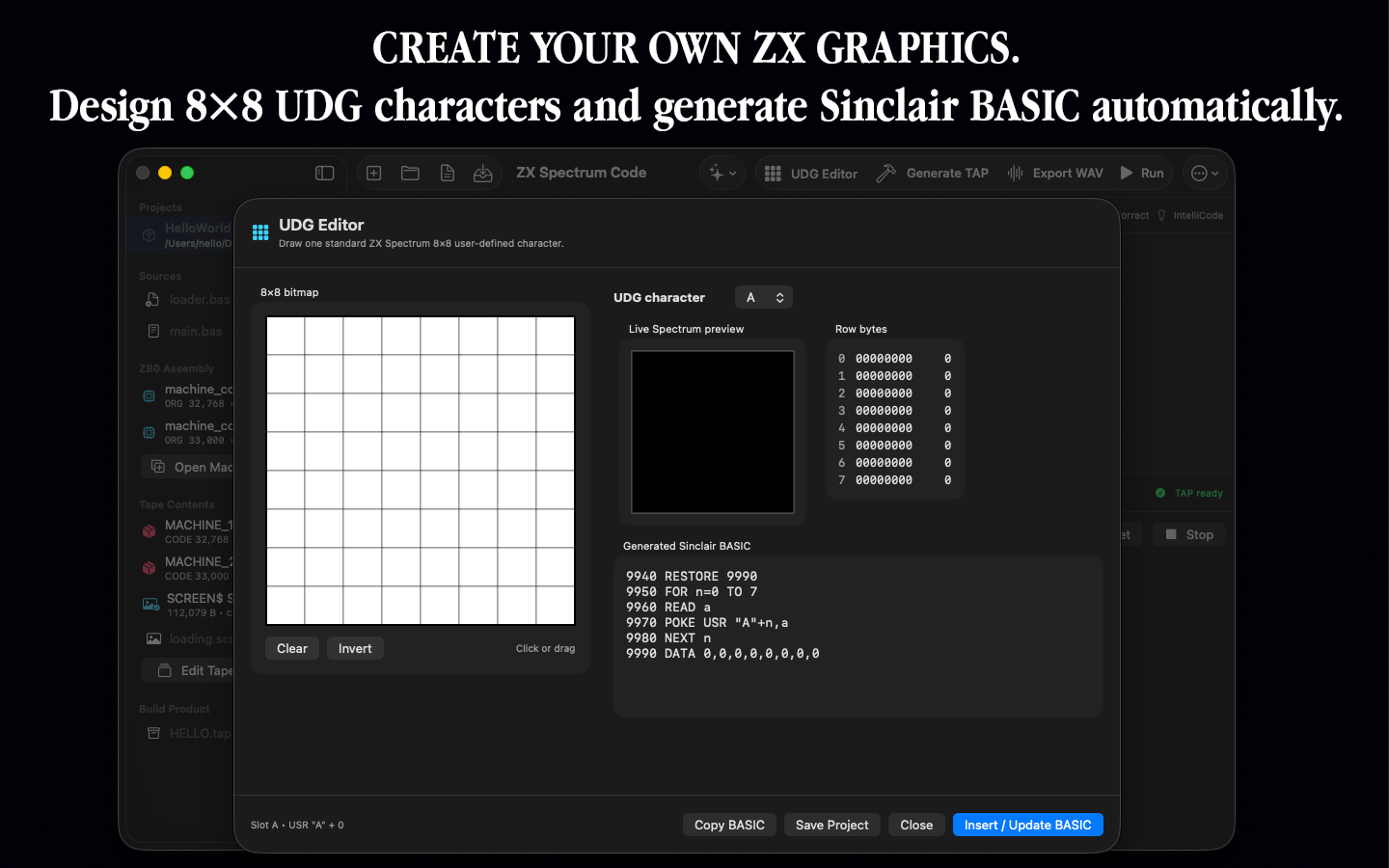
Design UDGs visually
Draw 8×8 characters on a pixel grid and see the live character, binary rows, decimal byte values and generated Sinclair BASIC at the same time.
Take control of your TAP
Build the tape your program expects.
The Tape Layout Editor turns the final Spectrum image into something you can see and manage. Arrange BASIC loaders, the main program, Z80 CODE blocks and SCREEN$ assets in loading order, then generate the finished TAP directly from the project.
BASIC + CODE + SCREEN$ — one project, one controlled build.
A complete project workflow
Retro target. Modern workspace.
Keep BASIC source, Z80 modules, graphics, tape layout and generated output together instead of juggling unrelated files and utilities.
You still work with the things that define Spectrum development — BASIC, PEEK, POKE, USR, CODE, SCREEN$, UDGs, memory addresses and TAP files. You simply get better tools for doing it.
ZX Spectrum Code and Compiler
Build something that would have felt impossible in 1982.
A modern BASIC & Z80 development IDE for macOS.
Coming to the Mac App StoreReplace this button with the final Mac App Store URL when the listing is live.